
What is Endpoint Detection & Response (EDR)?
What is an EDR tool?
- Rosie Baker
- 21 July
- 5 Min Read
Endpoint Detection and Response (EDR) is a cybersecurity solution that continuously monitors any devices connected to your business network for suspicious activity.
Instead of simply blocking known viruses, an EDR tool watches how devices behave. If it detects unusual activity that could indicate a cyber attack, it can alert security teams and, in many cases, automatically contain the threat before it spreads.
This option is more like CCTV, rather than antivirus, which is referred to as a security guard, with intelligent monitoring. It doesn’t just recognise known threats, it spots suspicious behaviour, investigates what’s happening and responds quickly if something isn’t right.
This makes an EDR tool one of the most effective forms of modern endpoint security.
To understand EDR, it helps to understand exactly what an endpoint actually is. An endpoint is any device connected to your business network or cloud environment. This can be anything from laptops and mobile phones, through to printers, servers and virtual machines.
Every endpoint is a potential entry point for cybercriminals. If an attacker gains entry through a printer, they can move across the network just as easily as if they compromised a laptop.
Traditional antivirus software plays an important role in cybersecurity. However, it was originally designed to identify known malware by comparing files against a database of recognised threats. Today’s attacks don’t often work like that.
Many cybercriminals use legitimate software tools, stolen accounts or malicious scripts that don’t look like traditional viruses. These attacks can often bypass signature-based antivirus without raising any alarms.
EDR takes a different approach.
Once installed, the response tool will continuously monitor activity in the background. It records information such as:
- Processes running
- Applications launching
- User logins
- File changes
- Network connections
Using behavioural analysis and threat intelligence, it looks for any pattern that is out of character for your business and/ or commonly associated with cyber attacks.
Some examples of behaviours that have been flagged across our clients include:
- Employee account logging in from an unusual location
- Programs rapidly encrypting files
- Suspicious PowerShell commands
- Malware attempting to disable security software
If malicious activity is detected, the tool will automatically respond by isolating the affected device, blocking harmful activity and alerting security specialists for further investigation.
This way, threats can be contained before they spread across the business.
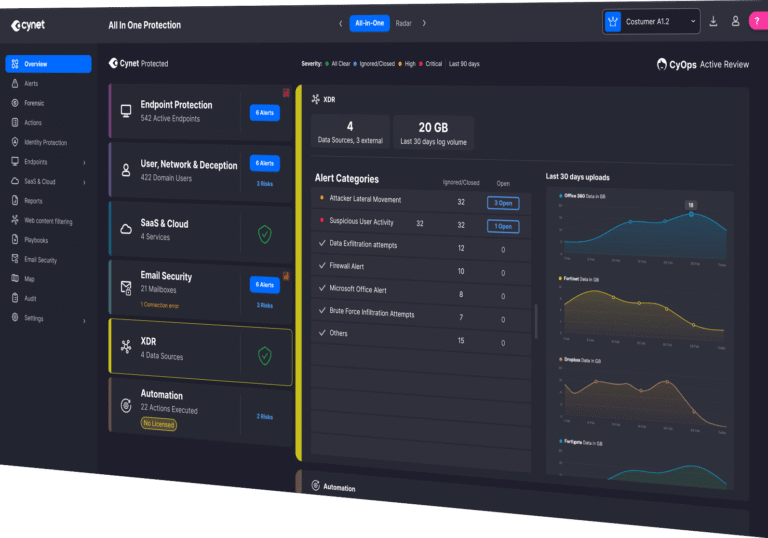
One of the biggest advantages of EDR is that it looks beyond traditional viruses. Modern platforms are capable of detecting ransomware, phishing payloads, credential theft, fileless malware, malicious scripts, unauthorised remote access and attackers attempting to move laterally across a network.
Rather than relying solely on malware signatures, EDR focuses on identifying suspicious behaviour, making it far more effective against modern cyber threats.
Absolutely. Cybercriminals don’t only target large enterprises. Small and medium-sized businesses still store valuable data, perhaps in larger corporations and are increasingly attractive because they offer fewer and weaker security resources that attackers can exploit.
If your business relies on laptops, remote workers, Microsoft 365 or cloud services, investing in stronger endpoint protection is becoming increasingly important.
We have Microsoft Defender. Is that enough for EDR?
Microsoft Defender has improved significantly and provides strong protection for many organisations. However, every business has different requirements. Some organisations need additional monitoring, automated response capabilities, broader visibility or managed threat detection depending on their industry, compliance and risk profile.
For this reason, many businesses choose to complement Microsoft Defender with a dedicated Endpoint Detection and Response platform.
What endpoint protection tools are out there, and which one should we go with?
There are several excellent platforms available today, including Cynet, Microsoft Defender for Endpoint, CrowdStrike, SentinelOne and Sophos Intercept X.
Each offers different strengths, integrations and management features. But rather than asking which product is best, organisations should focus on which solution best matches their infrastructure, budget, compliance requirements and internal IT capability.
How does Evolve approach Endpoint Security/ EDR?
At Evolve Technologies, we believe cybersecurity should be practical, proactive and tailored to every organisation. As part of our managed cybersecurity services, we offer Cynet because it combines Detection and Response with automated threat detection, incident response and continuous monitoring within a single platform.
No single solution is right for every organisation. That’s why we take the time to understand each client’s environment before recommending the most appropriate approach to endpoint protection.